> ## Documentation Index
> Fetch the complete documentation index at: https://docs.corgea.app/llms.txt
> Use this file to discover all available pages before exploring further.
# Reporting
> Track scan activity, vulnerabilities, and developer insights across your organization.
Reporting brings together scan activity and security outcomes so you can track trends, progress, and ownership.
**Where to find reporting**
* In the app sidebar, open `Reporting` to access:
* `General` for security and developer insights
* `Scans` for scan operations and PR policy status
* `Aging` for vulnerability aging and overdue trend analysis (available when policies are enabled)
**General reporting tabs**
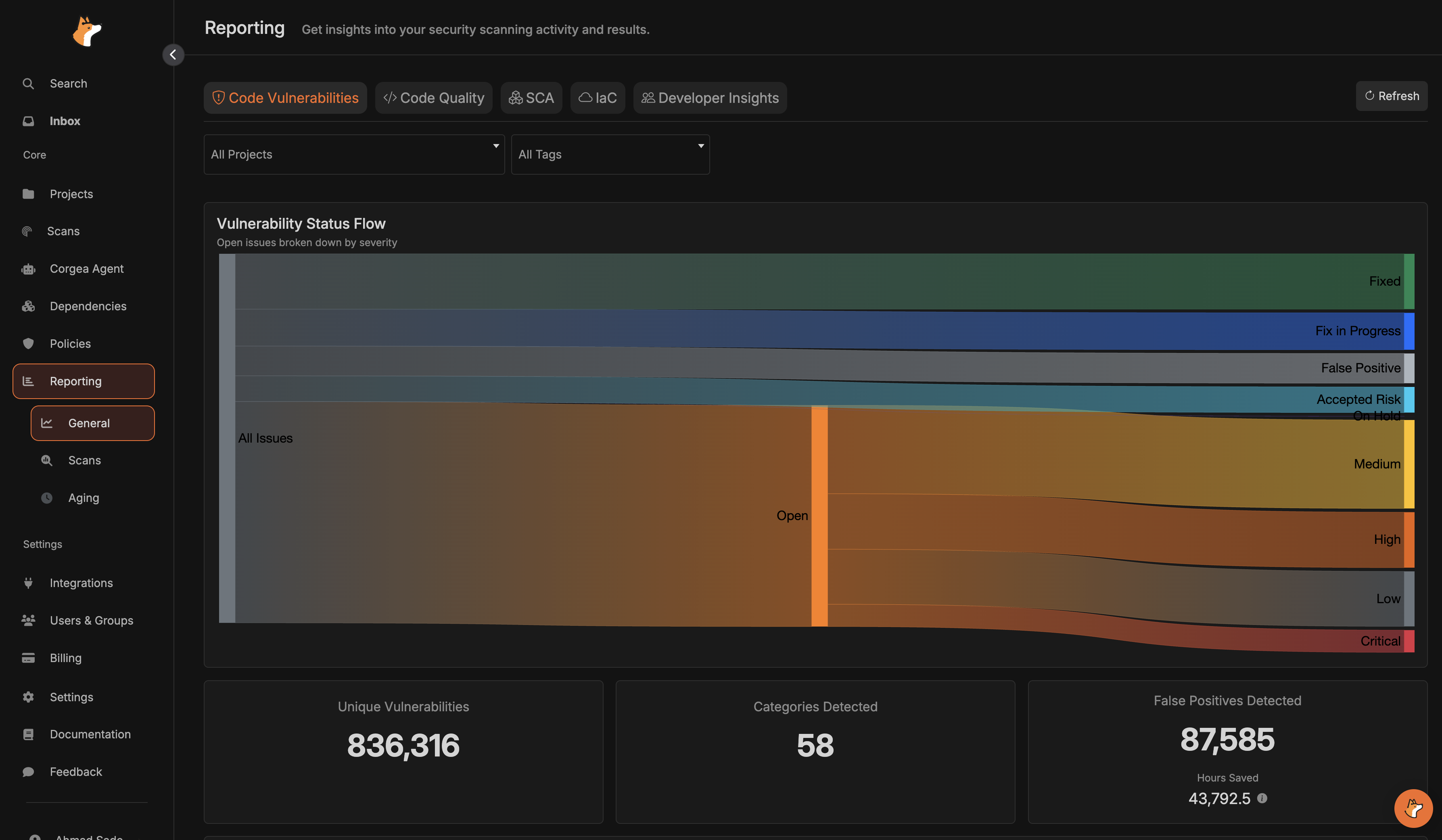
* `Code Vulnerabilities` shows unique vulnerability counts, category coverage, false positives, remediation progress, MTTR, and burn-down trends.
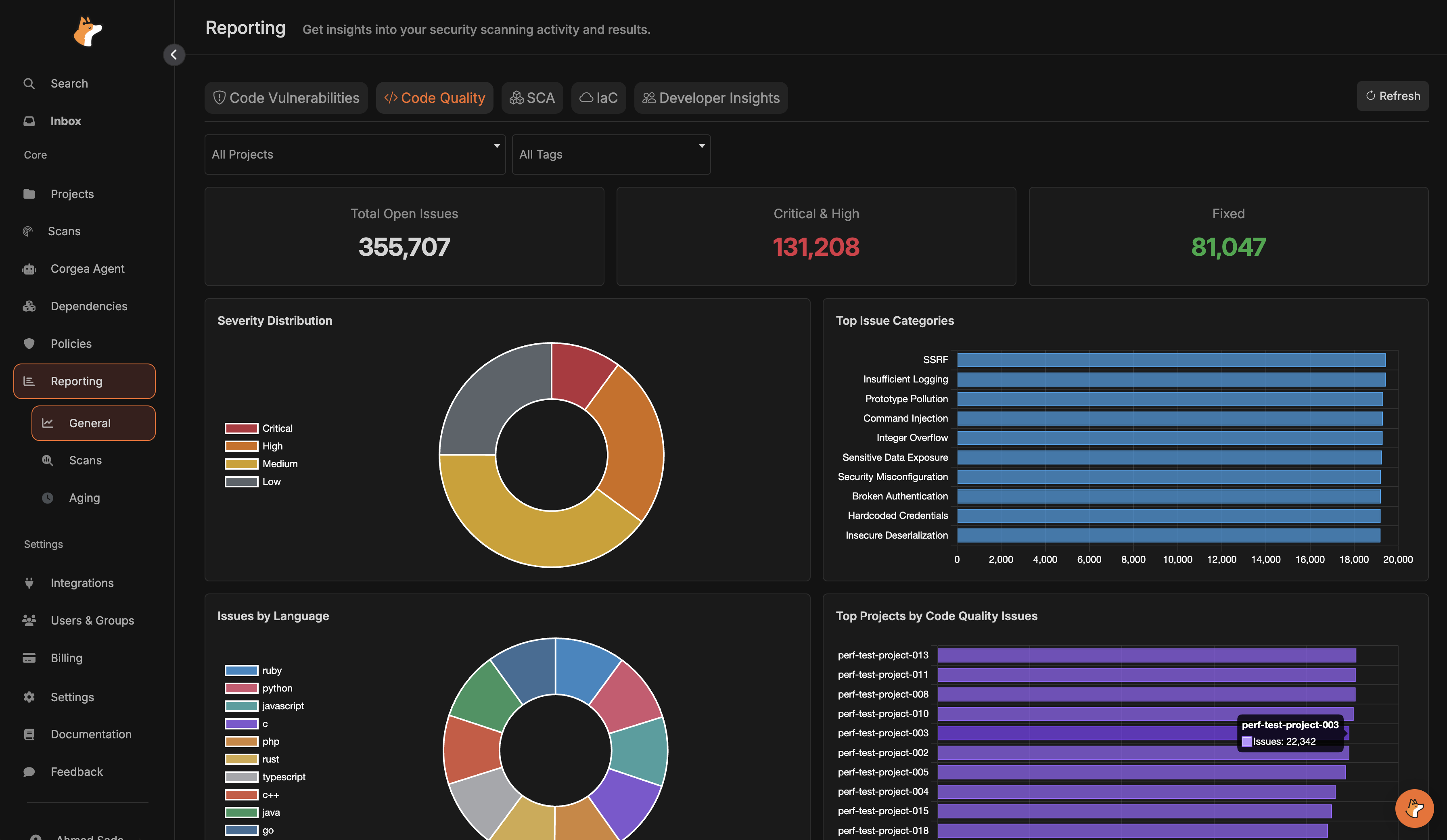
 * `Code Quality` highlights open vs fixed issues, severity distribution, categories, languages, and top projects.
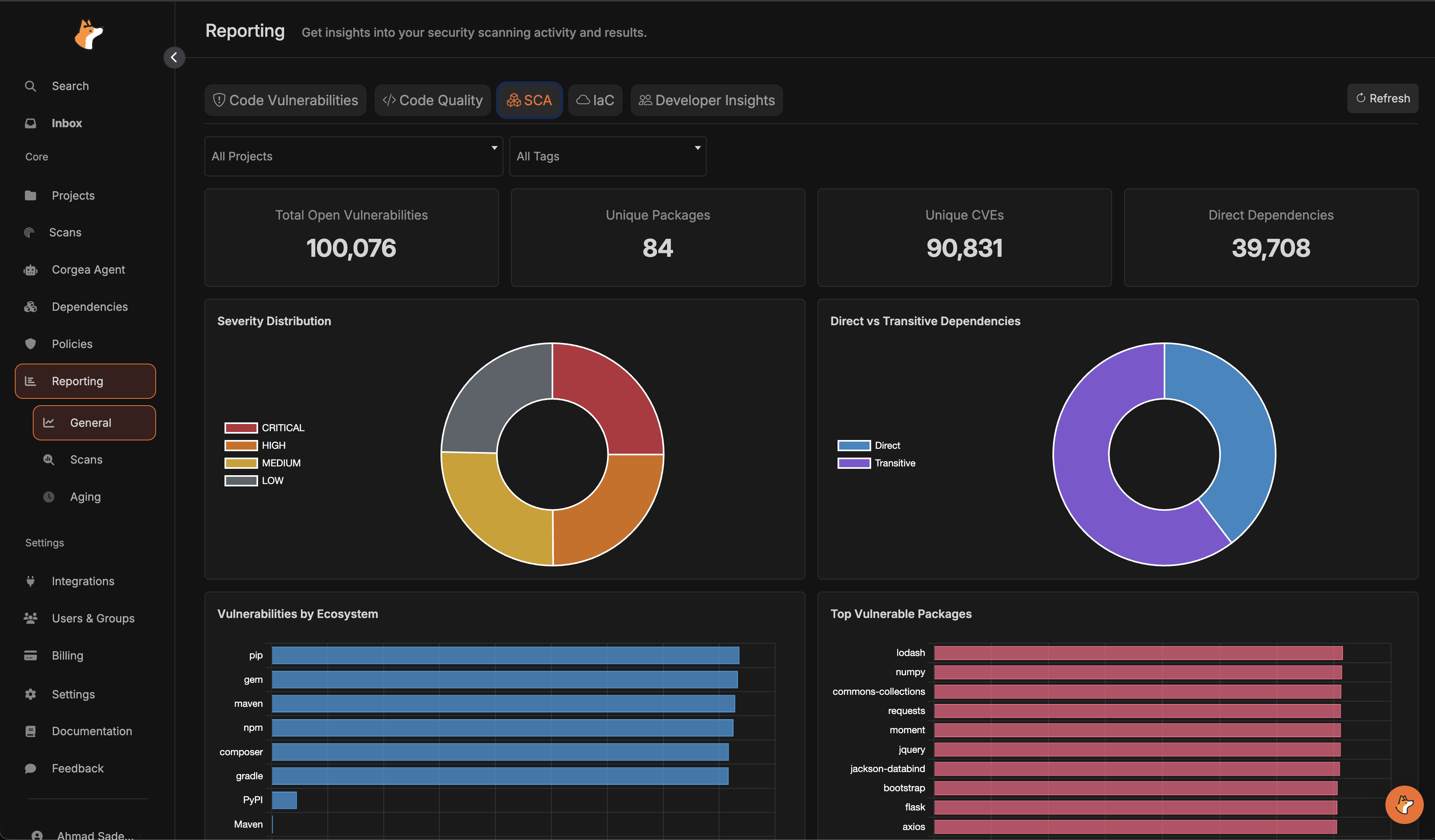
 * `SCA` summarizes dependency vulnerabilities by severity, ecosystem, package, and direct vs transitive impact.
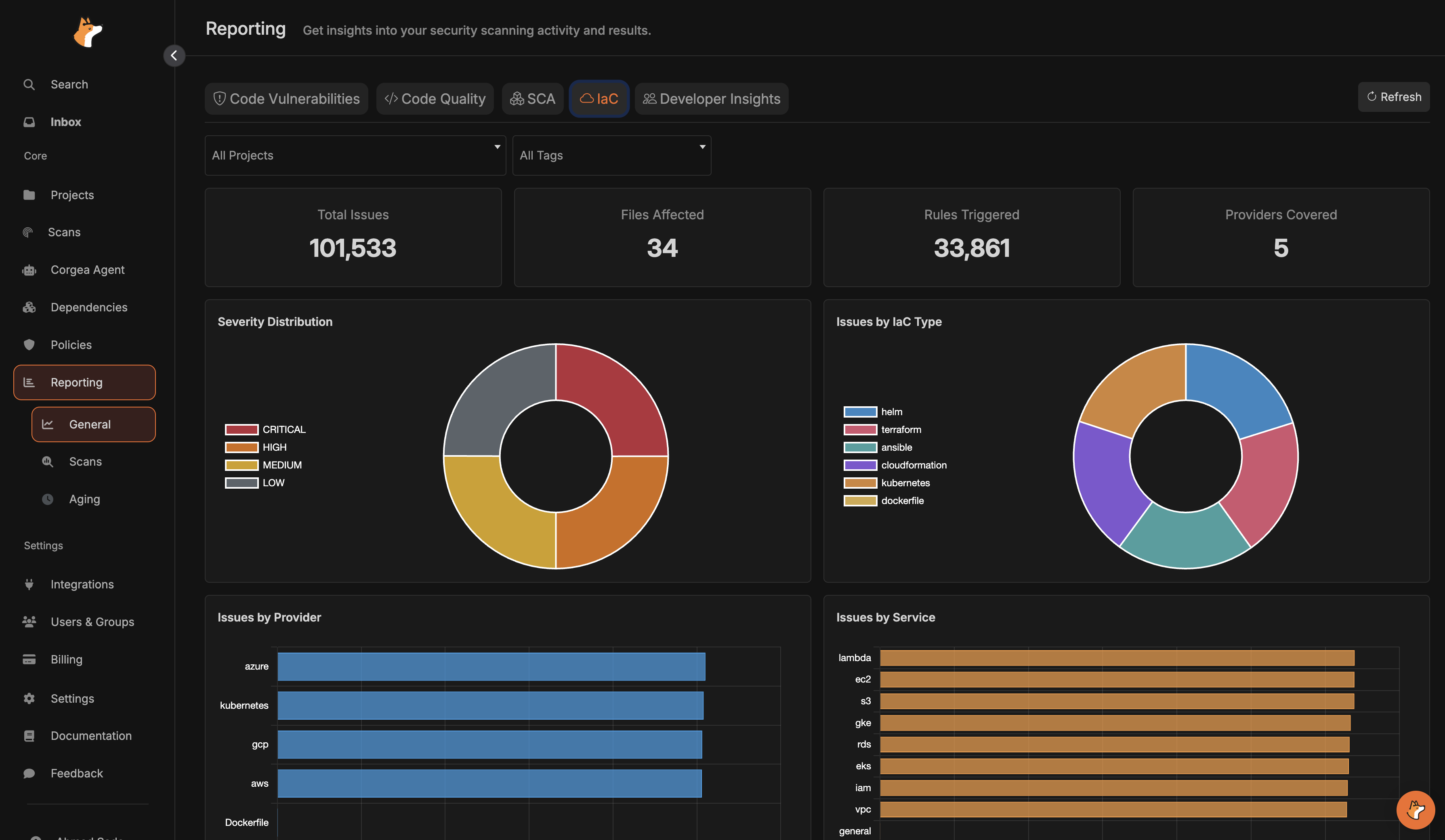
 * `IaC` breaks down infrastructure findings by severity, provider, service, rule, and IaC type.
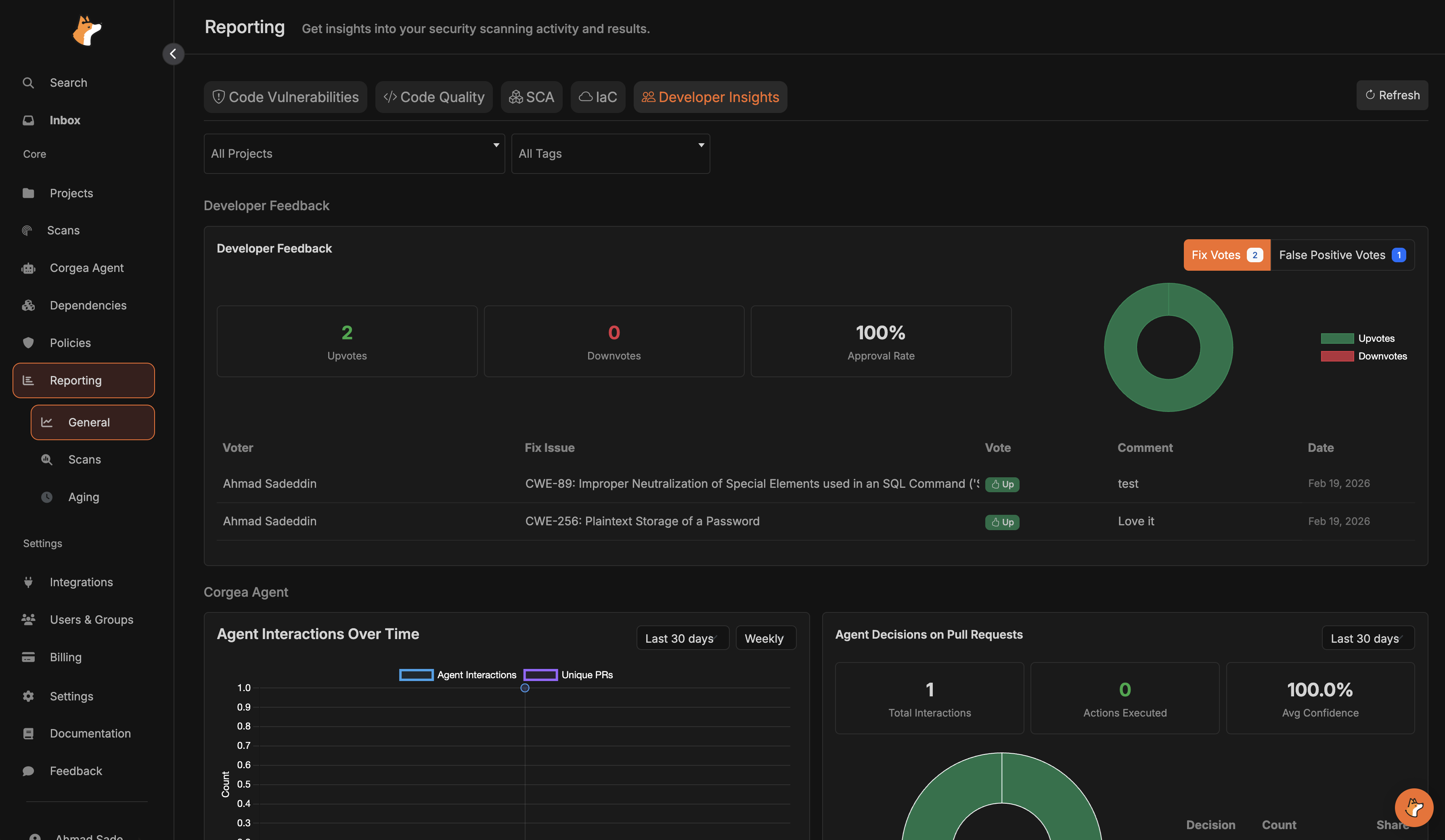
 * `Developer Insights` combines developer feedback and Corgea Agent usage trends, decisions, and active users.
 **Filters and time controls**
* Use the project and tag filters to scope all charts to a single project or set of tags.
* For time-series charts, choose a date range and group by day, week, or month.
* Severity filters on supported charts let you focus on critical, high, medium, or low issues.
**Scans reporting**
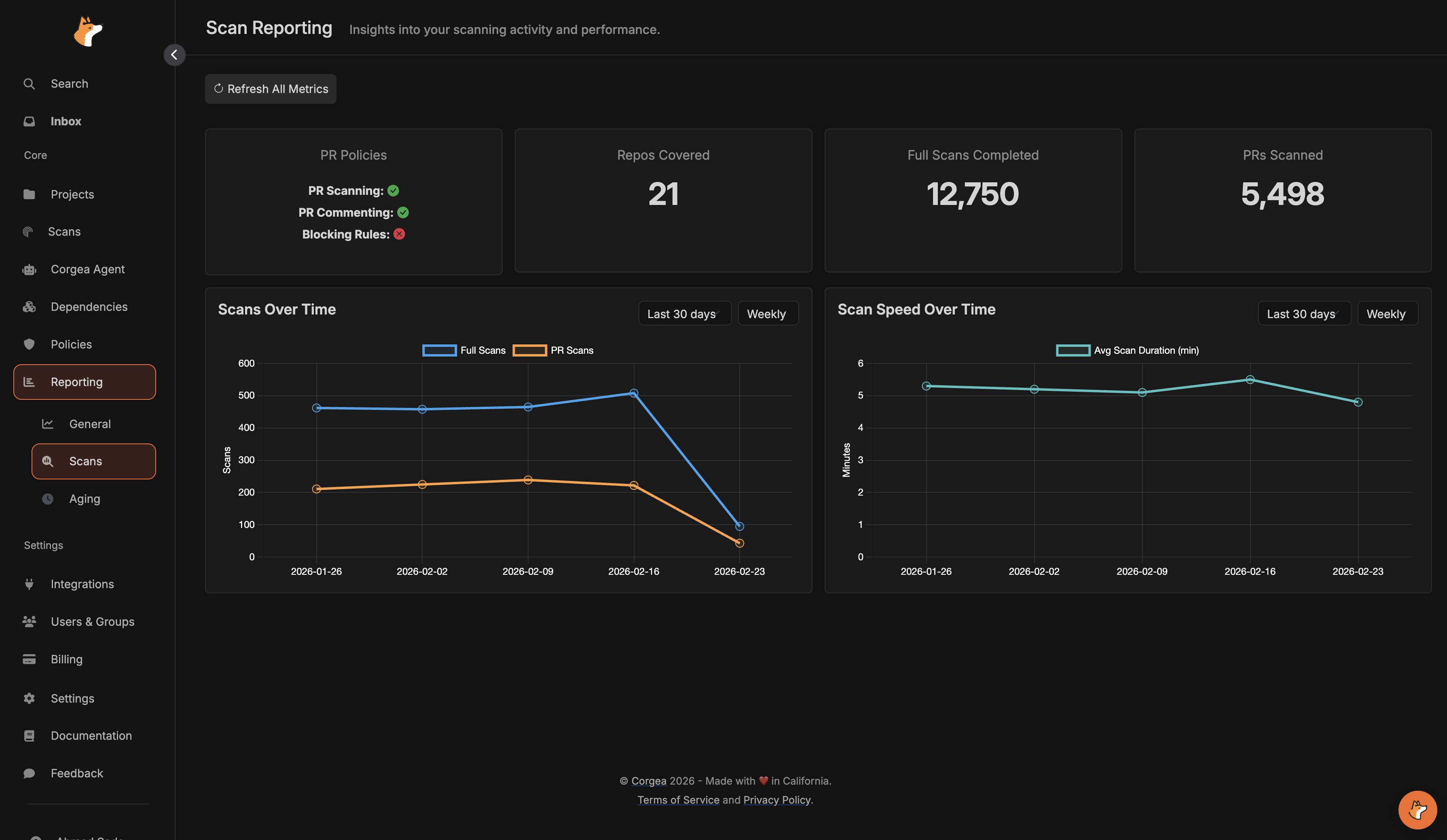
* `Scans` focuses on operational visibility, including PR policy status, repositories covered, full scans, PR scans, and scan performance over time.
**Filters and time controls**
* Use the project and tag filters to scope all charts to a single project or set of tags.
* For time-series charts, choose a date range and group by day, week, or month.
* Severity filters on supported charts let you focus on critical, high, medium, or low issues.
**Scans reporting**
* `Scans` focuses on operational visibility, including PR policy status, repositories covered, full scans, PR scans, and scan performance over time.
 **Aging report**
* The aging report highlights overdue **code and dependency** issues, average age, and where risk is accumulating by project and assignee.
* Assign issues from the issue details pages so overdue breakdowns and SLA emails reach the right owner.
* Configure SLAs in [SLA Management](sla_management).
**Aging report**
* The aging report highlights overdue **code and dependency** issues, average age, and where risk is accumulating by project and assignee.
* Assign issues from the issue details pages so overdue breakdowns and SLA emails reach the right owner.
* Configure SLAs in [SLA Management](sla_management).